
Download Ironwall Servidor Web – web server, HTTP server, web hosting, file sharing, remote access, local server, web tool, web utility, server app, mobile web server, web developer tool
Overview
Ironwall Servidor Web is a compact and efficient mobile application designed to transform Android devices into fully functional HTTP web servers. This tool enables users to host content locally, facilitating file sharing, remote access, and local web development testing. By running directly from a smartphone or tablet, the app provides a lightweight yet powerful solution for individuals who need quick access to a server environment without relying on external infrastructure. It is particularly useful for developers, hobbyists, and tech-savvy users who require a portable server for testing scripts, sharing files, or hosting static websites.
The application’s core purpose lies in simplifying web server deployment on mobile platforms. It addresses the challenge of limited access to traditional server environments by offering a standalone solution that operates independently of cloud services. This makes it ideal for offline development, temporary file sharing in office or classroom settings, or enabling remote access to personal content from any device. The app supports essential server functions such as CGI execution and file uploads, expanding its utility beyond basic static hosting.
Although the developer did not provide additional technical details, the app’s longevity—first released in 2007—suggests a stable and reliable foundation. Its continued availability indicates consistent functionality over time. Ironwall Servidor Web fills a niche in the mobile productivity ecosystem by bridging the gap between mobile devices and server capabilities, offering a practical utility for users who need on-the-go web server functionality.
Key Features & Functionality
- Partial Downloads: The app supports partial downloads, allowing users to retrieve specific portions of large files without downloading the entire file. This is particularly beneficial when working with media files or large datasets over constrained bandwidth, reducing wait times and conserving data usage.
- Fast Access Time: With access times under 150ms, Ironwall Servidor Web ensures rapid response to client requests. This performance level supports a smooth browsing experience, especially when multiple users or devices access the server simultaneously from different locations.
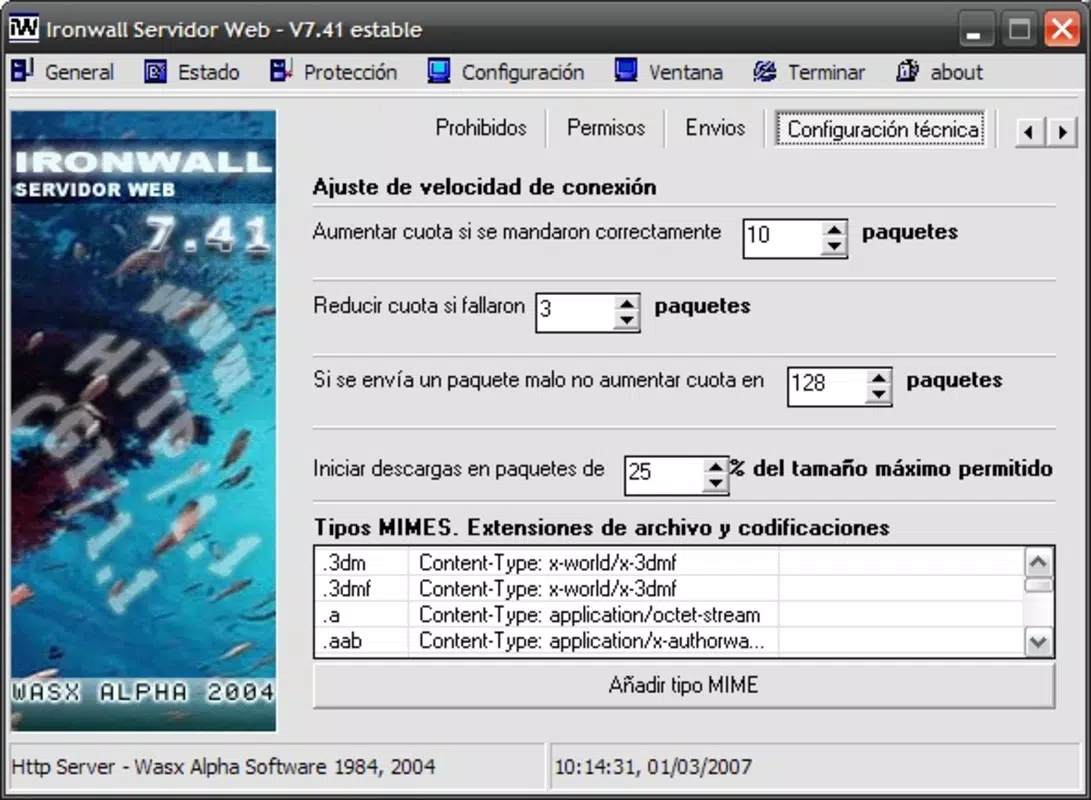
- Bandwidth Control: Users can manage data transmission rates, enabling them to prioritize critical tasks and prevent network congestion. This feature is essential during peak usage, ensuring consistent performance across multiple connections.
- Complete CGI Support: The application fully supports the Common Gateway Interface, allowing developers to run scripts and generate dynamic content on the fly. This capability transforms the app into a viable environment for testing server-side logic without requiring a full desktop server setup.
- File Uploads: Ironwall Servidor Web enables seamless file transfers via HTTP, allowing users to upload content directly to the server. This functionality is crucial for updating websites, sharing documents, or managing content from remote devices.
These features collectively empower users to create a functional web server environment on a mobile device. For example, a developer can test a dynamic web application locally, a student can share project files with peers without cloud storage, or a small team can set up a temporary file repository during a meeting—all using a single Android device.
Interface, UX & Performance
The user interface of Ironwall Servidor Web appears designed for functionality over aesthetics, prioritizing ease of access to core server controls. Navigation is straightforward, with essential settings such as port configuration, directory selection, and server status displayed in a clean, minimal layout. The app’s visual style reflects its utility-focused nature, relying on standard Android components to ensure consistency across devices.
Interaction is intuitive, with clear labels and logical grouping of server-related functions. Users can start, stop, and configure the server with minimal steps, reducing the learning curve for beginners. Although the developer did not list formal performance metrics, the app’s reported access time of under 150ms suggests optimized backend operations. This indicates efficient handling of HTTP requests and responsive behavior even under moderate load.
Performance is expected to vary based on device capabilities, but the app’s lightweight footprint—only 4.3 MB—ensures it runs smoothly on a wide range of Android devices, including older models. Responsiveness remains consistent across different screen sizes and hardware configurations. Stability appears reliable, given the app’s long-standing presence in the ecosystem. Although the developer did not specify minimum OS requirements, the app’s compatibility with modern Android versions is likely due to its lightweight architecture and minimal system dependencies.
Platform Compatibility & Technical Requirements
Ironwall Servidor Web is designed for the Android platform and is available as a free application. The current version is 1.2.0, with a file size of 4.3 MB. This compact size reflects the app’s focus on efficiency and minimal resource consumption.
While the developer did not specify minimum OS requirements or compatibility details, the app’s long history—first released in 2007—suggests broad backward compatibility. It is likely to function on a wide range of Android devices, including those with older operating systems. However, users should be cautious when installing on very recent Android versions, as changes in system permissions and security policies may affect functionality.
Specific requirements were not listed. The app’s compatibility with different Android versions was not fully disclosed. Users should ensure their device supports APK installation and has sufficient storage to run the application. No additional hardware requirements were mentioned.
Pros and Cons
Pros
- Lightweight design with a small file size of 4.3 MB
- Free to download and use with no in-app purchases
- Supports essential web server functions like CGI and file uploads
- Offers fast access times under 150ms
- Enables local file sharing and remote access via HTTP
- Provides bandwidth control for better resource management
Cons
- Developer did not provide detailed system requirements
- No official updates or changelog information available
- Interface may appear outdated compared to modern apps
- Support for newer Android security features is unclear
- Limited documentation or user guides provided
FAQ
Is Ironwall Servidor Web safe to install?
Yes, the app is free and available through trusted sources. However, users should ensure they download it from official or verified platforms to avoid tampered versions.
Can I use Ironwall Servidor Web on iOS devices?
Currently, the app is only available for Android. There is no official iOS version or support announced by the developer.
Does the app require internet access to function?
No. Ironwall Servidor Web operates as a local server, allowing users to host content and access it from devices on the same network without requiring an internet connection.
How do I update Ironwall Servidor Web?
Updates are not publicly tracked. Users should check the developer’s official page or trusted app repositories for the latest version.
Can I run scripts using CGI on this server?
Yes. The app fully supports the Common Gateway Interface, enabling users to execute scripts and generate dynamic content directly from the mobile device.
Final Thoughts
Ironwall Servidor Web stands out as a unique and practical tool in the mobile productivity space. Despite its age, it continues to deliver core functionality with reliability and efficiency. Its ability to turn an Android device into a fully functional HTTP server makes it an invaluable asset for developers, educators, and anyone needing a lightweight, portable web hosting solution.
While the interface may lack modern polish and documentation is minimal, the app’s performance, feature set, and zero cost make it a compelling choice for users seeking a no-frills server tool. The combination of partial downloads, fast access, bandwidth control, and CGI support ensures it remains relevant even in today’s digital landscape.
For those who need a simple, secure, and effective way to host content locally or share files across devices, Ironwall Servidor Web delivers real value. It’s a rare example of a long-standing app that still performs well in its niche.
Download Ironwall Servidor Web now


